If you use a VPN often, you might have seen this: with your VPN on, you try to print a document on your wireless printer. Nothing happens.
Then you try to cast a YouTube video to your TV. The TV doesn’t show up.
You open your local banking app to pay a bill, and it immediately blocks you for “suspicious login activity” because you suddenly appear to be logging in from Zurich instead of your living room.
This is the classic VPN struggle: security often comes at the cost of convenience. To access local devices or services, you usually have to turn the VPN off, exposing everything else in the process.
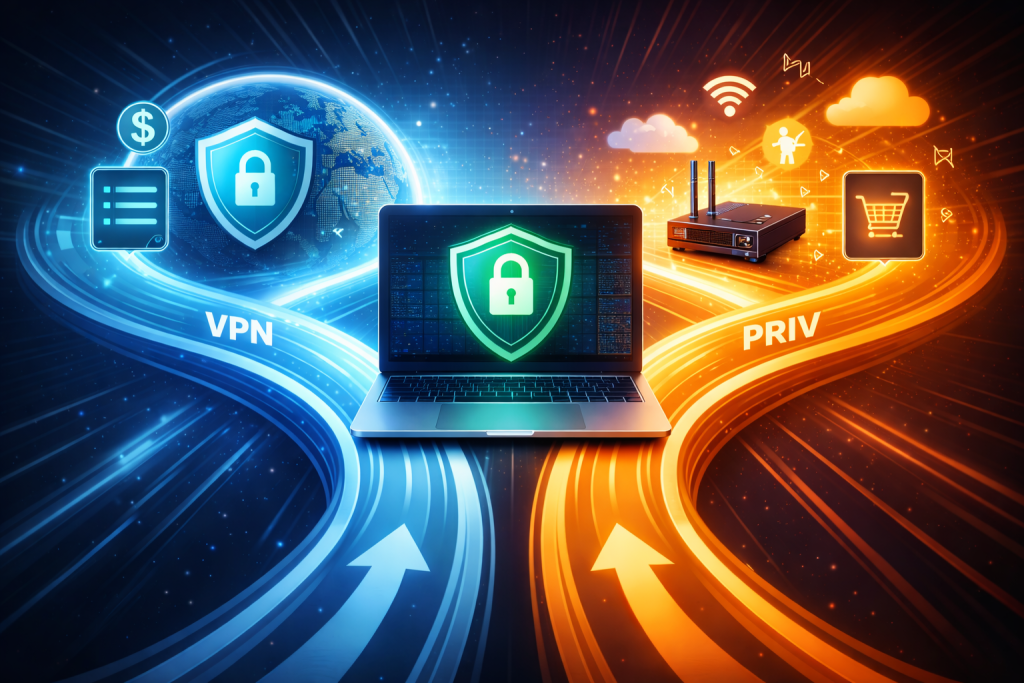
But what if you didn’t have to choose? What if you could tell your VPN to protect your sensitive data while letting your printer, games, and banking apps bypass the secure tunnel entirely?
This feature exists. It’s called VPN split tunneling, and it is the bridge between hardcore privacy and real-world usability. So what is VPN split tunneling, and how can it stop your games from lagging while keeping your browsing secure? Let’s find out.
🧠 Also read: How to Set Up a VPN at Home (Beginner-Friendly Guide)
What Is Split Tunneling in a VPN?
To understand what the split tunneling VPN feature is, we first need to look at how a standard VPN operates.
By default, a VPN creates a “full tunnel.” Think of it like a detour on a highway. Every single car (data packet) leaving your house is forced onto this detour through the encrypted tunnel. This is great for security because nothing escapes. But it causes two major headaches:
- Speed bottlenecks: Data that doesn’t need encryption (like a video game connection) gets slowed down by the detour.
- Invisibility to local devices: Your computer can no longer “see” devices on your local network (LAN) because it thinks it is in another country.
This is where VPN split tunneling comes in. It creates a fork in the road. Instead of forcing all traffic through the encrypted tunnel, it divides your internet traffic into two distinct lanes based on rules you set:
- The secure lane (VPN): Sensitive traffic (like your web browser, BitTorrent client, or work email) travels through the encrypted VPN tunnel to the remote server. Your ISP cannot see this data.
- The direct lane (local internet): Non-sensitive traffic (like your video game, Spotify, or printer connection) bypasses the VPN entirely and travels directly to the internet or local network.
This means you can be downloading a torrent file anonymously via a server in Japan while simultaneously watching Netflix US and printing a document in your home office—all without toggling a single switch.
🧠 Also read: How to Choose the Best VPN for Your Device
VPN Split Tunneling: How It Works
So, how does a split-tunnel VPN work? When you connect to a VPN, your device creates a virtual network interface (often called a TUN/TAP adapter). In a standard full-tunnel setup, the VPN software tells your OS to send everything through a specific virtual interface, overriding your default gateway.
With a VPN split tunnel, the software gets smarter. Your VPN client injects a network filter driver deep inside your OS kernel, like placing a traffic cop at the exact intersection where data leaves your computer.
Every time an application—say, Spotify or Chrome—tries to send a data packet to the internet, this driver inspects it before it hits your network card. Here’s the breakdown:
- The driver identifies the packet’s “tag” (usually the process ID of the app that sent it or the destination IP address).
- It compares that tag against the specific rules you set in your VPN app.
- If the rule says “VPN”: The packet is instantly grabbed, encrypted, encapsulated, and thrown into the virtual tunnel interface.
- If the rule says “Bypass”: The packet stays untouched and flows naturally to your standard Wi-Fi or Ethernet card, completely ignoring the VPN.
This decision happens in microseconds for every single packet, allowing you to be in two places at once. But how exactly does this driver know which tunnel to select? That depends on the type of VPN split tunneling you choose.
🧠 Also read: Types of VPN Explained: How Each Works and Which Is Best for You
Types of VPN Split Tunneling
Not all split-tunnel VPN implementations are the same. Depending on your goal—security or speed—and your VPN’s capabilities, you can choose from three different sets of orders.
1. App-based split tunneling
This is the standard version found in most consumer VPN apps. You simply select which specific applications (their .exe files) should use the VPN.
- How it works: If you want Chrome to be encrypted and Call of Duty to go fast, you just add chrome.exe to the list while leaving CallOfDuty.exe out.
- Best for: Gamers and streamers who want specific apps protected without sacrificing speed elsewhere.
2. URL-based split tunneling
Usually found in browser extensions rather than desktop apps, this allows you to route specific websites through the VPN based on their address.
- How it works: You add netflix.com to the list to route it through the VPN so you can watch UK shows but keep google.com out so it stays local.
- Best for: Unblocking streaming content without slowing down your entire browser.
3. Inverse split tunneling
This is the safest bet. Instead of picking what goes in the tunnel, you pick what stays out. By default, everything is encrypted, and you only manually exclude specific trusted apps.
- How it works: Everything on your computer gets encrypted except for your banking app and printer that you’ve added to the exclusion list.
- Best for: Security-conscious users. It ensures that any new app you install is automatically protected unless you explicitly tell the VPN to ignore it.
🧠 Also read: What a VPN Can and Can’t Protect You From in 2026
Why Use VPN Split Tunneling?
Why go through the trouble of configuring a VPN with split tunneling? Because it solves specific performance and access issues that full encryption creates.
For gamers
Gaming over a VPN can be a nightmare due to latency (lag). With a split VPN setup, you can encrypt your Discord voice chat (to hide your IP from angry opponents) while letting the game itself connect directly to the server for the lowest possible ping.
For remote workers
If you are working from home, being on a VPN usually makes local network devices invisible. VPN split tunneling allows you to stay connected to your corporate server securely while still being able to cast music to your smart speaker or send a file to the wireless printer in the hallway.
For banking
Banks are paranoid. If you log in from a VPN server IP address that is flagged as “anonymizing,” they often freeze your account. Excluding your banking app from the VPN tunnel keeps your connection looking “local” and trustworthy, preventing those panic-inducing “Access Denied” screens.
🧠 Also read: The $5 Question: Are Paid VPNs Worth It in 2026?
Split Tunnel vs. Full Tunnel: Security Risks
While the split tunneling VPN feature is convenient, it introduces a human element into your security—and humans make mistakes.
A standard full tunnel is like a heavy wool blanket; it covers everything. Split tunneling is like cutting holes in that blanket for your arms and legs. If you cut too many holes—or cut one in the wrong spot—you lose your warmth.
If you accidentally exclude a browser that you use for sensitive searches, or if a “direct-lane” app (like a game launcher) starts updating and leaking data you wanted private, your ISP will see it. It breaks the guarantee of total protection.
🧠 Also read: Are Free VPNs Safe? Hidden Risks and Better Alternatives
VPN Split Tunneling: The Best of Both Worlds
In a perfect world, we would never turn our VPNs off. But the internet is messy. Printers need local networks, games need low ping, and banking apps get suspicious if you log in from Switzerland when you live in Chicago.
This is where the benefits of VPN split tunneling vs. full-tunnel setups become obvious. The split-tunnel VPN transforms your app from a blunt instrument into a precision tool. Instead of choosing between total security and usable speed, you get both.
So, what is a VPN split tunneling feature actually good for? It is the only way to keep your privacy shield up 24/7 without breaking the apps you use every day. It gives you the control to decide exactly what stays private and what stays fast.
🧠 Also read: Zero-Log (No-Log) VPNs Explained: How to Tell Which Ones Actually Keep Your Secrets
FAQs
What is a split-tunnel VPN?
It is simply a VPN setup with the split tunneling VPN feature turned on. It allows you to be in two places at once, dividing your internet traffic into two separate lanes: one encrypted lane that routes sensitive data through the VPN server and one direct lane that lets local apps (like printers or games) bypass the VPN entirely for maximum speed.
What is the difference between a full-tunnel vs. split-tunnel VPN?
The difference between the two is simplicity versus control. A full tunnel routes 100% of your traffic through the VPN. A split tunnel lets you choose which apps use the VPN and which use the direct internet.
How to set up a split-tunnel VPN?
The exact steps for how to split tunnel VPN connections depend on your provider, but generally, you go to your VPN app’s settings, find the “Split Tunneling” tab, and from there, you simply browse and add the .exe files of the apps you want to route (or exclude).
Can I use a VPN split tunnel on my phone?
Yes. Most major Android VPN apps support VPN split tunneling. However, due to Apple’s strict operating system restrictions, split tunneling on iOS is much harder, and very few providers offer true app-based splitting on iPhones.
Is split tunneling safe?
Yes, but it requires vigilance. As long as you correctly identify which apps contain sensitive data (browsers, torrent clients) and ensure they are routed through the secure tunnel, it is safe. The risk comes from user error, not the technology itself.
Does a split tunnel affect speed?
It actually improves it. By offloading bandwidth-heavy, non-sensitive traffic (like downloading a Steam game update) to your direct internet connection, you reduce the load on the VPN encryption processor, often resulting in faster speeds for the apps that are using the VPN.







